1. Where can I find my delivery order information?
¶ Where can I find my delivery order information?
Once you placed the order, you will receive a Reallusion Order Email with the subject line "Payment confirmation - Order Number XXXXXXXX".
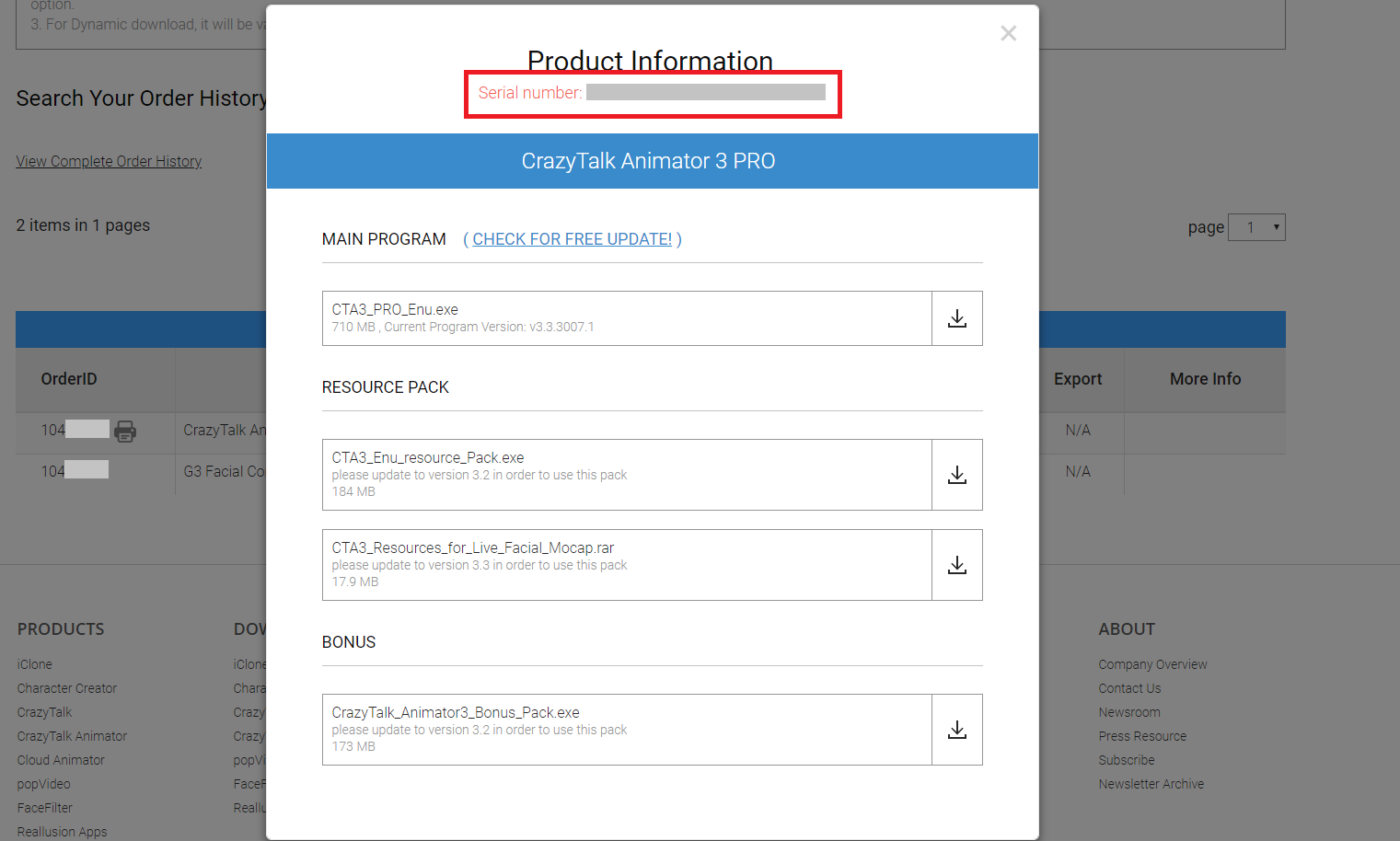
Please read the email and click "Login to Download >" to login, and check the product download link and serial number.
If you do not receive the Reallusion Order Email, then you need to check your spam, junk or bulk mail folders to see if the Order Email is there. Also add no-reply@store.reallusion.com to your whitelisted emails.
For Reallusion registered products, you may go to your member account - Registration tab to check the download link and serial number.
1. How can I re-download the program if I lost the installer? (for legacy program)

2. How to print an invoice?
¶ How to print an invoice?
In your member account - Order History page, simply click the "Printer" button on each order to print out the invoice.

3. How to find all of the content I’ve purchased on the Content Store, ActorCore and Marketplace?
¶ How to find all of the content I’ve purchased on the Content Store, ActorCore and Marketplace?
You may have purchased content from these three stores: Content store, ActorCore, Marketplace. But if you cannot remember which store you bought the content from then you can still find all your purchased content via Marketplace Inventory list:
https://marketplace.reallusion.com/inventory-list
Then, here are the steps:
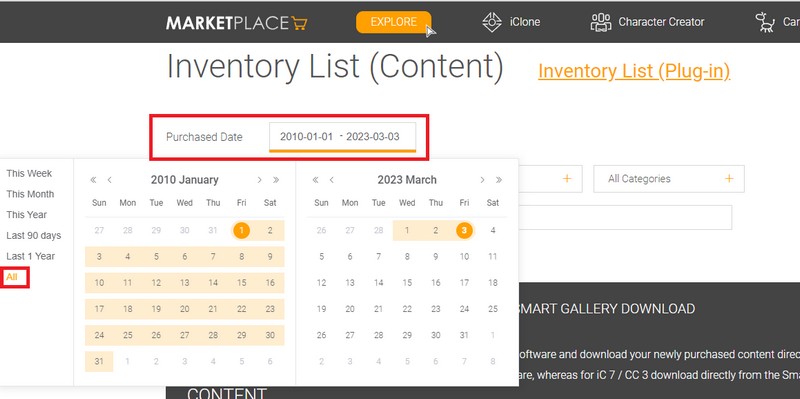
- Choose Purchased Date to “All”.
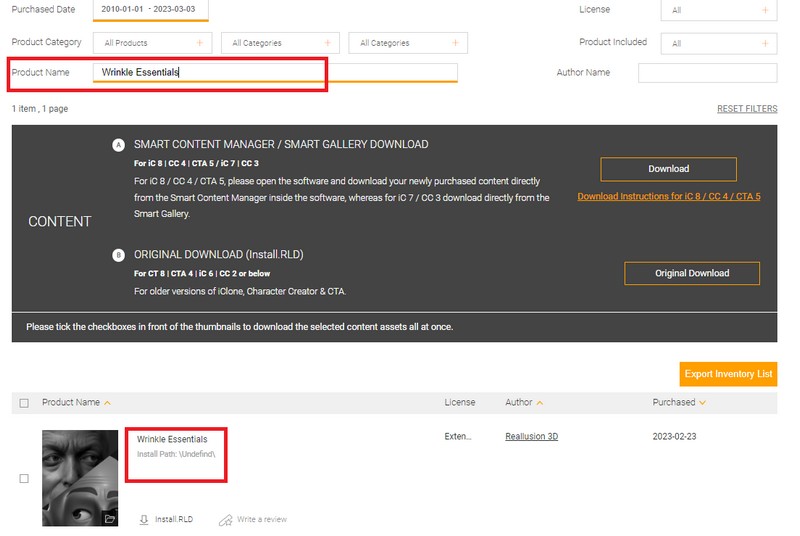
- Inside you will see the items you’ve purchased from the three stores. You can search by items:
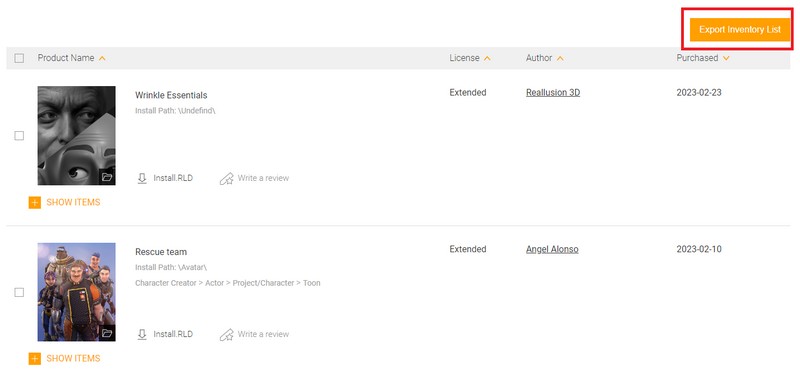
- You can also click “Export Inventory List” to export all your content history as a CSV file.
4. How do I install the AccuPOSE INFINITY perpetual license if I was a previous subscriber?
¶ How do I install the AccuPOSE INFINITY perpetual license if I was a previous subscriber?
Follow these steps:
-
Redeem your AccuPOSE INFINITY perpetual license.
Make sure the license has been successfully redeemed before continuing. -
Install the AccuPOSE INFINITY plug-in via Reallusion Hub.
- Open Reallusion Hub on or after January 5.
- Refresh the Products section.
- Under iClone Plug-ins, find AccuPOSE INFINITY Plug-in and click Install.
- iClone will be updated to version 8.65 automatically if required.
- Open AccuPOSE in iClone.
Launch the AccuPOSE panel in iClone. All AccuPOSE INFINITY content will be available for use.