1. Why is the price cheaper after I purchased a product?
¶ Why is the price cheaper after I purchased a product?
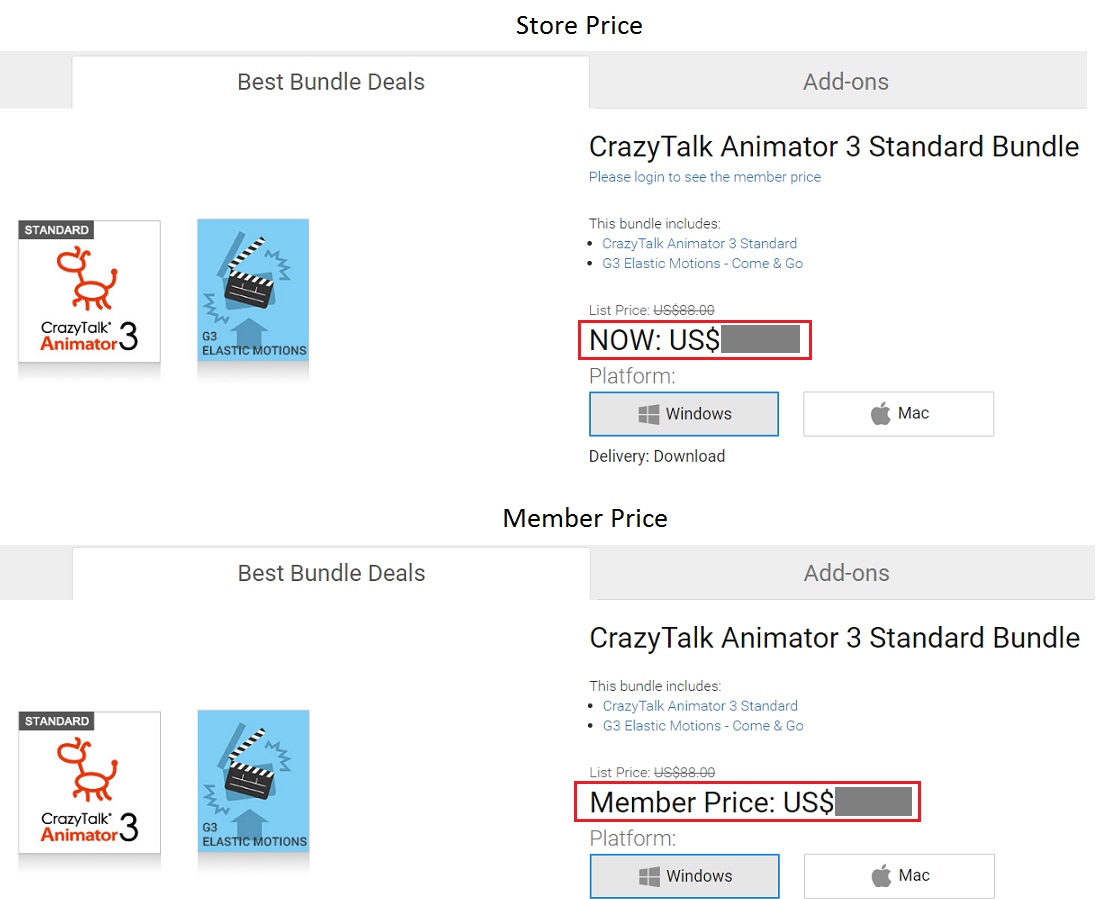
There are two different pricings in our store; one is List Price and the other is Member Price. If you have a Basic membership level and you haven't purchased any product on the Reallusion Store, then the price you see is a List/Store Price, this is regardless whether you are logged into your member account.
Once you completed your first order purchase then your member level will be upgraded to Premium Plus, and you will find the Member Price labeled on the Reallusion Store when you log into your member account.
2. Where to find my Upgrade and Member Special discount?
¶ Where to find my Upgrade and Member Special discount?
NOTE: For new Basic level members, the prices listed in the Software Store are the same for both with member login and without member login.
But once your member level has been upgraded to PremiumPlus, then you will find the discounted price in accordance to your product register record. The same product user can have a better upgrade discount. So in order to get the member special price, please log into the Software Store with your member account.
- Please login to Reallusion Software Store at http://www.reallusion.com/store/default.html. The login button is on the top right of the store page.

-
After login (your name appears at the left of login button), select the product you wish and you will find the discount packages listed inside.
-
Once selection has been made, then click to check the Edition, (OS) Platform, Delivery (method) in order to Buy.
Note: The price illustrated in this image is for reference only.
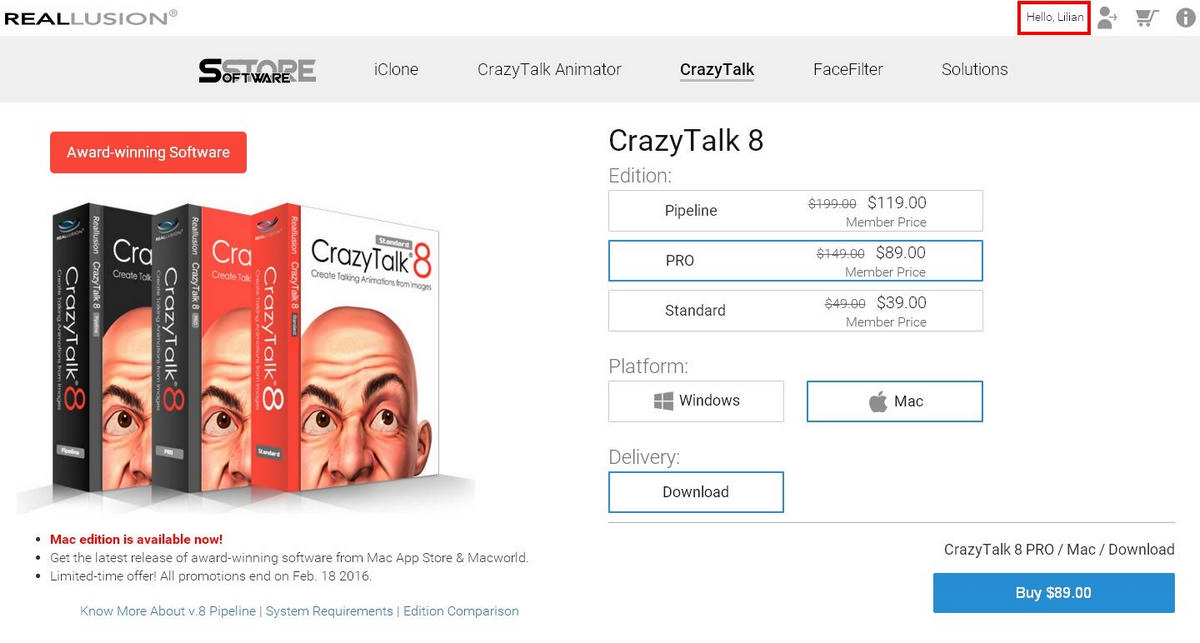
- We provide customized discount packages for your product registration record. Please be advised that you first need to register your product in your member account. If you cannot find the correct Special Offer, then please click on "Registration" and check if you have already registered all your products.
3. Are there any discounts on multiple seat purchases?
¶ Are there any discounts on multiple seat purchases?
Yes, we do offer special discounts for 3 or more seat purchases. Please refer to our Volume Licensing page for more information on this type of purchase.
4. Coupon Code Usage Rule in the Shopping Cart
¶ Coupon Code Usage Rule in the Shopping Cart
From now on, members have 2 ways to use your coupon codes.
Select a coupon code (new feature!)
Enter a coupon code
How to use the new feature and select a coupon in the shopping cart?
- Add all the products you like into the shopping cart first.
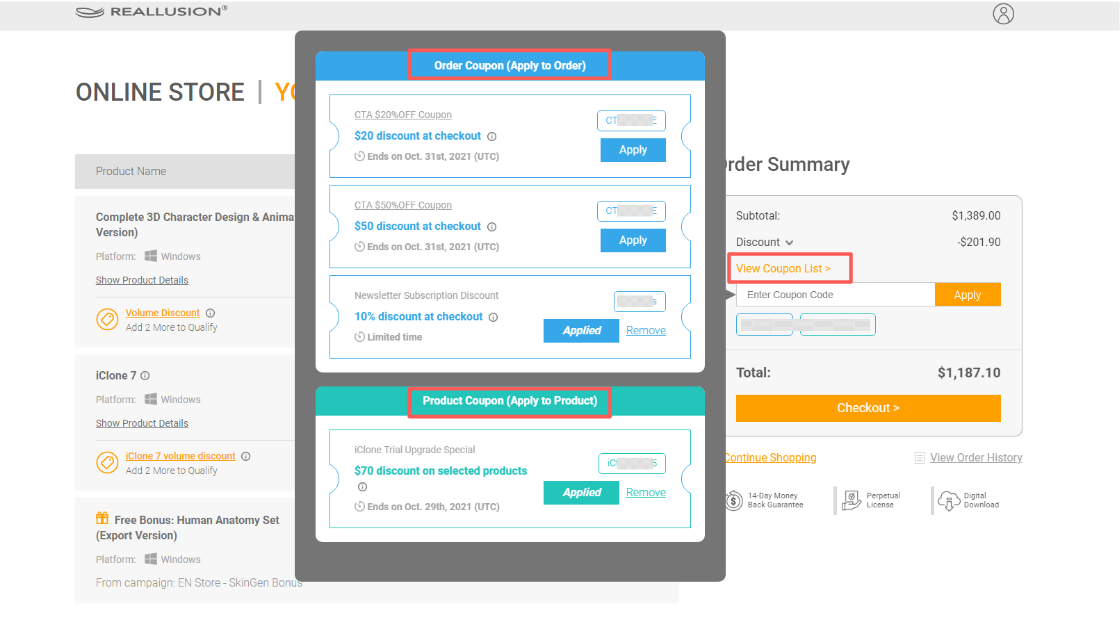
- You will see the “View Coupon List” in the Order Summary session on the right hand side.
- Click “View Coupon List” and "Apply" to apply your desired coupon and the final price will update automatically.
- You may click “Remove” to remove the applied coupon and then select another one if you like. Before clicking “Checkout”, any coupons will not be used.
- Click the ”Checkout” button to continue the checkout process.
More info: -
- What is an Order Coupon?
- Order coupon discount can be applied on the whole order and is calculated at checkout.
- One order coupon can not be used together with other order coupons.
- Coupon Codes are displayed in chronological order of the end date.
- Please note: the coupons will be removed from the coupon list automatically once they are expired, please use coupons before they expire.
- What is a Product Coupon?
- Product coupon discount is applied and discounted from the list price (not discount/ sale price).
- More than one product coupon can be applied in one transaction if you have multiple products in your cart, but one product can only use one product coupon.
- Product coupons cannot be used in conjunction with Volume Discounts, and the system will automatically select the best saving offer for you.
- Coupon Codes are displayed in chronological order of the end date.
- Please note: the coupons will be removed from the coupon list automatically once they are expired, please use coupons before they expire.
- Can Order Coupon & Product Coupon be used together?
- Not all product coupons & order coupons can be used together as each code is provided under different terms & conditions. If you are not sure of the coupon rule, we suggest you can add them to the cart and see if they work together.
- What coupon codes will be listed in the “View Coupon List?”
- Online store campaign coupons
- Personal coupon connected with Reallusion account, such as Elite Member Coupon
*Please be aware that not all coupons are listed, so you may enter coupon codes manually if you have other coupon codes.
For any product or purchase related questions, please contact Support.