1. How do I contact the Support Team?
¶ How do I contact the Support Team?
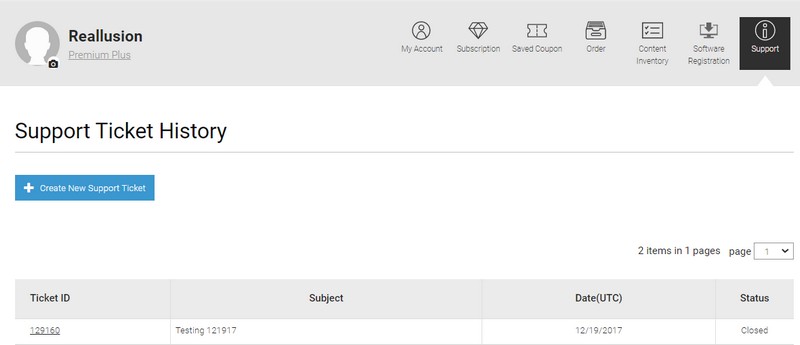
For support questions, you may get in touch with our Support Team via the member login in the "Reallusion Online Support Form".
Once you log into your member account (https://www.reallusion.com/member/), go to the "Support" page, and from there you may submit your inquiry to our Support Team.
You will receive a notification email when submitting, or after we reply to your question.
Please note that you have to refer back to your member account on the same page you submitted the question, in order to track back your question history by clicking the listed "Ticket ID".
You may periodically check your member account - Support page, just in case the notification email has been blocked as spam.
2. How do I change my personal profile data like email address, and password?
¶ How do I change my personal profile data like email address, and password?
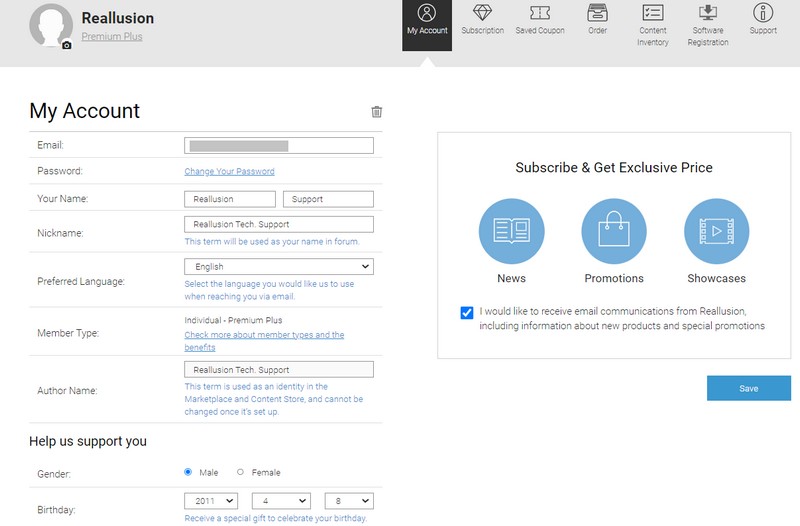
You may update your personal profile data in your member account - My Account page.
The new activation link will be sent to your new registered email address. Click that link to activate your new email registration.
Note: Once you change to the new email address, the previous used email address will be disabled permanently.
3. How do I Register Member/Product?
¶ How do I Register Member/Product?
Note: The following sample instructions work for all the Reallusion products.
-
Go to the Reallusion member page at https://www.reallusion.com/member/ and click the "Create an Account" button.
If you already have a Reallusion member account, login directly and skip to Step #5 for product registration, whereas to Step #7 for bonus downloads.You also can use the fast login process by Connecting with Facebook or Google. After all, you still need to integrate them up if you are an existing member. We recommend that you use one member account per person, as this will provide ease in database management and integrity.
-
Complete the Reallusion Member application form.
-
Once submitting the application form, you will soon receive a Reallusion Membership Activation email in the email account you have provided. In order to complete your registration, click the link in the email in order to activate your account. May we also recommend that you add our website (https://www.reallusion.com) to the list of "Trusted sites" in your Internet Options. If you have any member activation issues, please email activate@reallusion.com.
-
After your account activation, log into your member account.
-
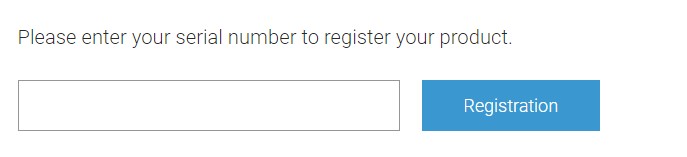
To register product that is not under your Order, simply go to your member account - Registration page, scroll toward the bottom section of the page then input your product serial number for registration. Once you have registered your product, you will automatically become our Premium member.
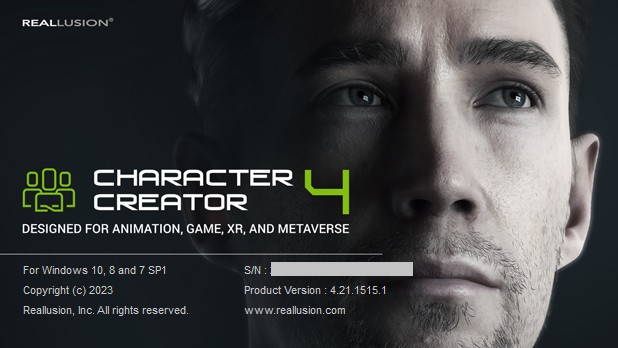
- You may get serial number by opening your Reallusion application. After the application has launched, please click the "Help" button on the top-right corner and select "About ..." with the application name.
-
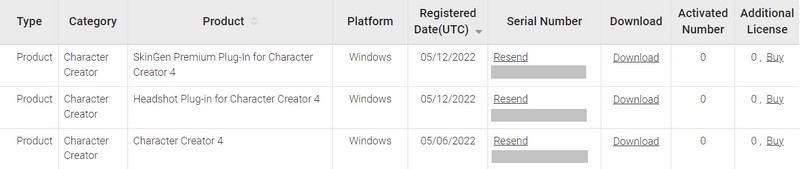
After product registration, the Product Information page will be displayed for the product you purchased.
-
You will be able to view your registered product(s) with the following options:
i) "Resend" Serial Number is to have the product's serial number displayed on the screen. If the "Email notification enabled" condition is checked, it will also send directly to your email account. Note: you need to re-enter your member password for verification, before your serial number can be resend.
ii) "Download" link is to display the Product Information page with program installation directions.
4. How to fix account activation issues?
¶ How to fix account activation issues?
After filling out the Reallusion Member Application Form, you will receive a confirmation email which includes a member activation link. You can just click that link to activate your member account. Please be aware to check whether the link is cut off to the next line otherwise the activation could fail.
If you have not received your activation email, please check the following: -
-
You may have made a typo in the email provided when you first create the member account. Check to ensure the email address is spelled correctly.
-
Check your spam, junk or bulk mail folders to see if the activation email is there. Please add us (autoreply@reallusion.com) to your whitelist.
-
Please ensure that your spam blocker is not filtering https://www.reallusion.com, and do add this URL to the list of "Trusted sites" in your Internet Options.
After this, please go to https://www.reallusion.com/member/#/en/resendActivationEmail to request a new activation email. Google Chrome browser is recommended.
If you still have not received a 2nd activation email and still failed to login at our member page at https://www.reallusion.com/member/, it is possible that your email provider may be having technical difficulties preventing you from receiving emails. You may want to change your email and then request a new activation email.
You may email to activate@reallusion.com, if your account activation issue still persists.
5. What should I do if I forgot my member account password?
¶ What should I do if I forgot my member account password?
-
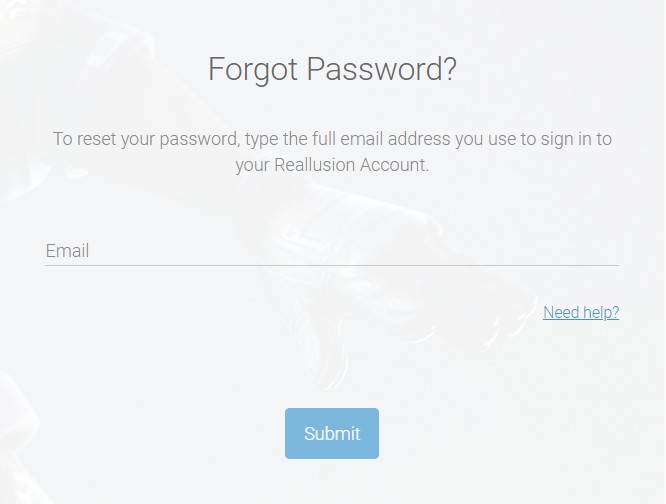
In member login page, just click "Forgot Password?".
-
On the next prompt, key in your registered email address to reset the password.
6. How do I delete my Reallusion member account?
¶ How do I delete my Reallusion member account?
-
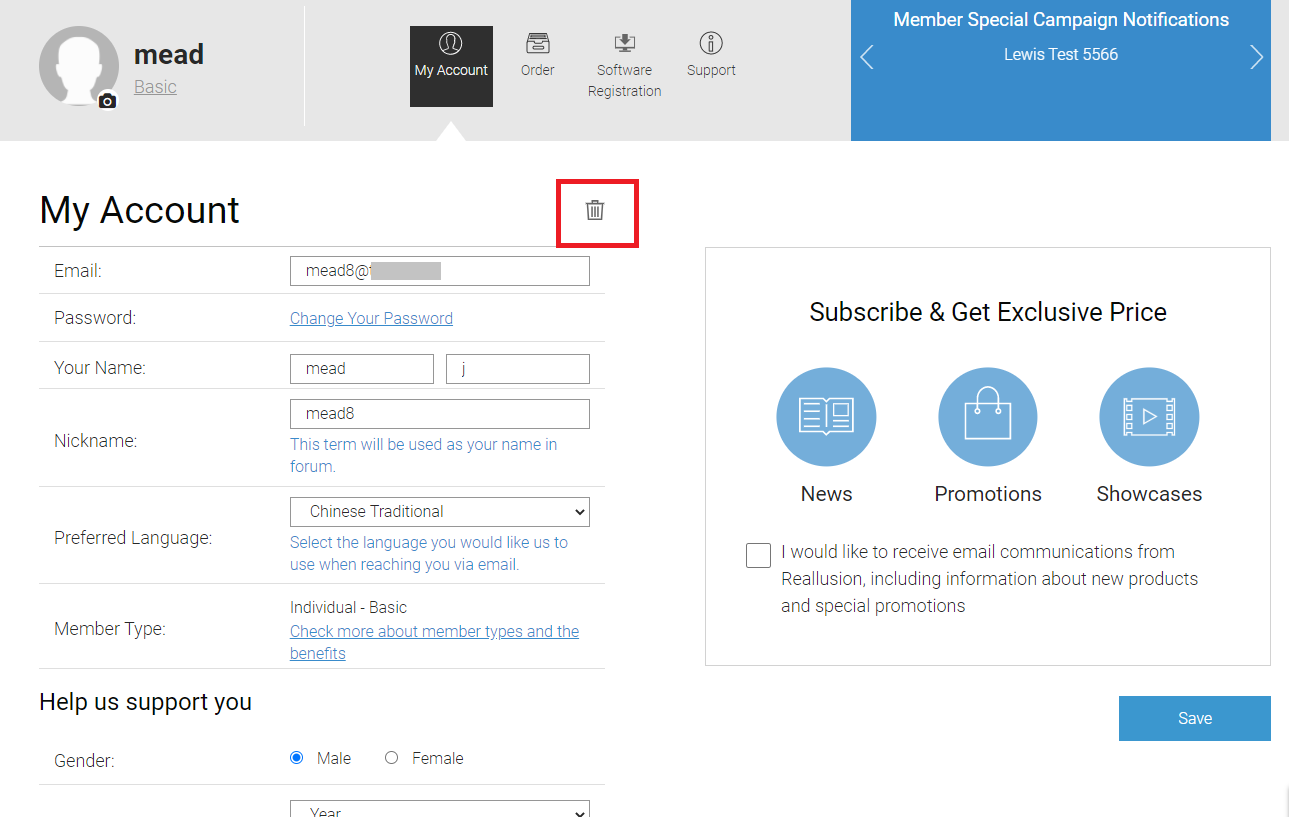
Log into your Reallusion member account and go to "My Account" page.
-
In the "My Account" page, click the Trash icon above your email address.
-
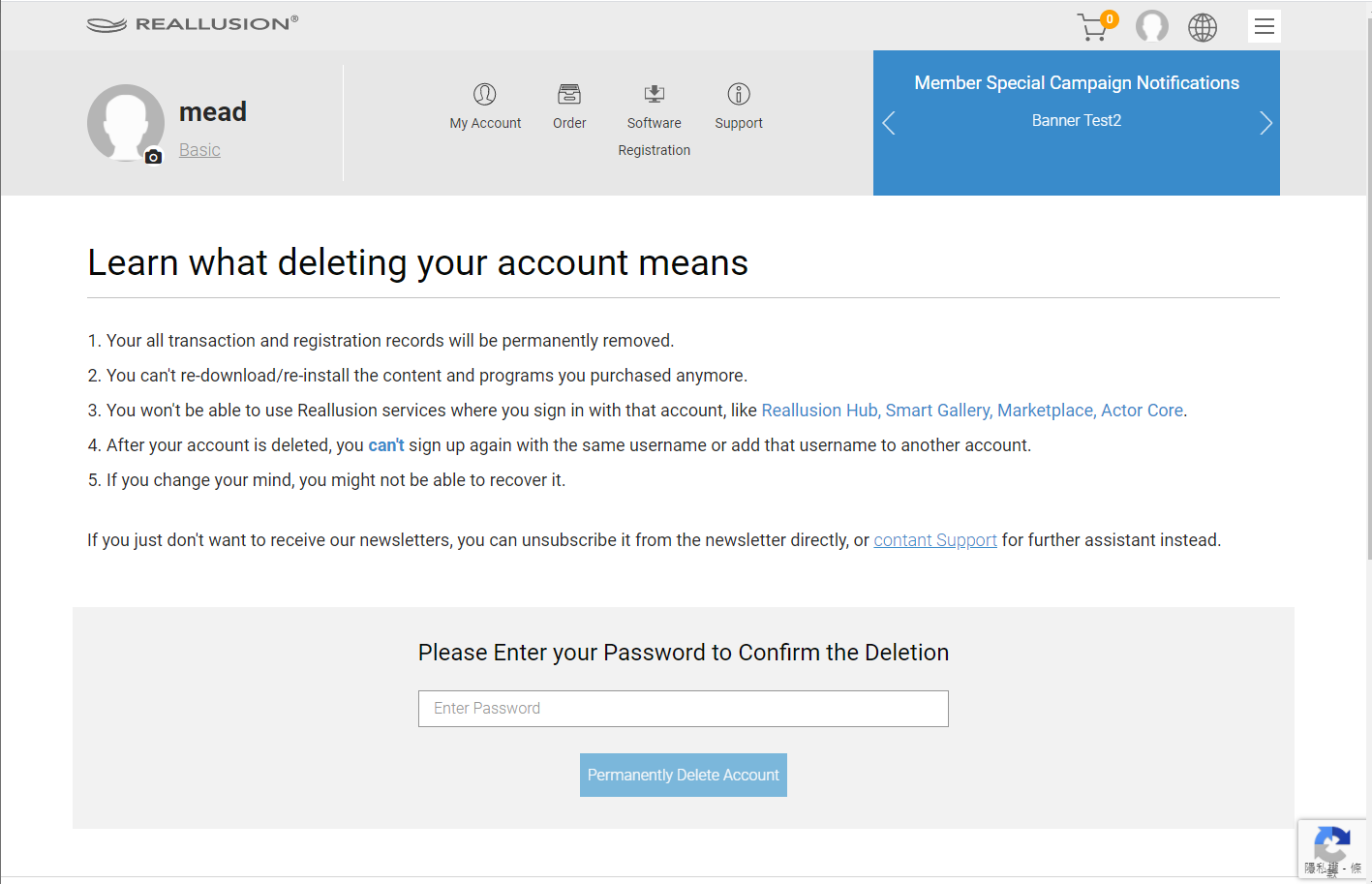
Read and accept the terms of closing your account.
Note: Once deletion has been made, it is not possible to recover your member account, including purchase and product registration record. -
If you agree, please enter your member password to confirm deletion.
- You will then receive a notification confirming the deletion of your Reallusion member account.
