1. I purchased the full version, why does the Reallusion Hub show the trial version?
¶ I purchased the full version, why does the Reallusion Hub show the trial version?
Please log into your member account that has your product registered, by clicking the "Member Login" button in the top-right area.
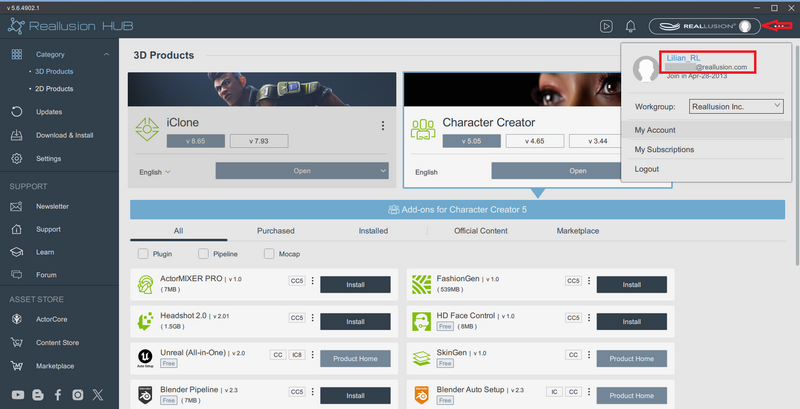
Besides, make sure to click the "Refresh" button in Reallusion Hub.
After this, you may click "Activate Product", and the Reallusion Hub will lead you to uninstall the trial version. Once the uninstallation process finishes, then you need to click on "Activate Product" again, and the Reallusion Hub will start to download and install the full version.
2. Does the Reallusion Hub support old products?
¶ Does the Reallusion Hub support old products?
The Reallusion Hub does not support the products below: -
- iClone 6 or below.
- Character Creator 2 or below.
- 3DXchange 6 or below.
- CrazyTalk Animator 3 or below.
- CrazyTalk 8 or below.
- FaceFilter 3 or below.
- popVideo 2 or below.
*** Hub v4.1 and above do not support macOS. For macOS product (eg. Cartoon Animator 4), please download Hub v4.09 (56.3 MB) for Mac.
Available for Mac OS X 10.9 - Mac OS X 13.0.
3. After the program installation via Reallusion Hub, where can I find the installer?
¶ After the program installation via Reallusion Hub, where can I find the installer?
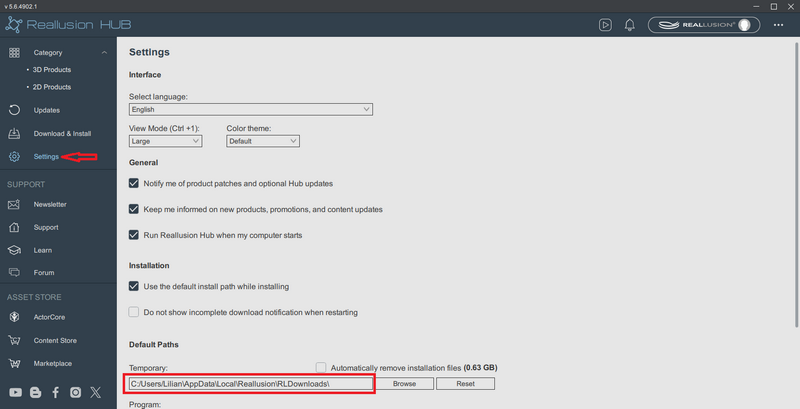
In the Reallusion Hub screen, go to Settings > Temporary Path, in order to browse the folder where the installers are.
Full file path in File Explorer: %LOCALAPPDATA%\Reallusion\RLDownloads
If you would like to clear the Reallusion Hub installer folder, simply check the "Automatically remove installation files" option.
4. How to disable the Reallusion Hub notification when I use the program?
¶ How to disable the Reallusion Hub notification when I use the program?
- Open the Settings dialog from the left panel of the CATEGORIES.
- Uncheck the "Notify me when a new product patch is available." It will disable the notification when a new product patch is released. You can still use the "Check for Update" from your product Menu > Help and get the latest version or the Reallusion Hub's Updates panel.
- Uncheck the second "Show important product notifications." It will disable all the product release notifications and some discount messages.
- If you don't always want the Reallusion Hub in the background, then you can uncheck the third checkbox "Run Reallusion Hub when my computer starts". This will not affect your program usage.
5. Reallusion Hub's non-Lite installer download link (v5.4 updates)
¶ Reallusion Hub's non-Lite installer download link (v5.4 updates)
If you have a problem using the Reallusion Hub's website download link website download link (Lite version), here is the non-Lite/original installer for you to try on: -
https://file.reallusion.com/Reallusion_HUB.exe (139MB)
6. Why can't I install the program through the Reallusion Hub? I was told "No permission to install in the selected Custom Content folder"
¶ Why can't I install the program through the Reallusion Hub? I was told "No permission to install in the selected Custom Content folder"
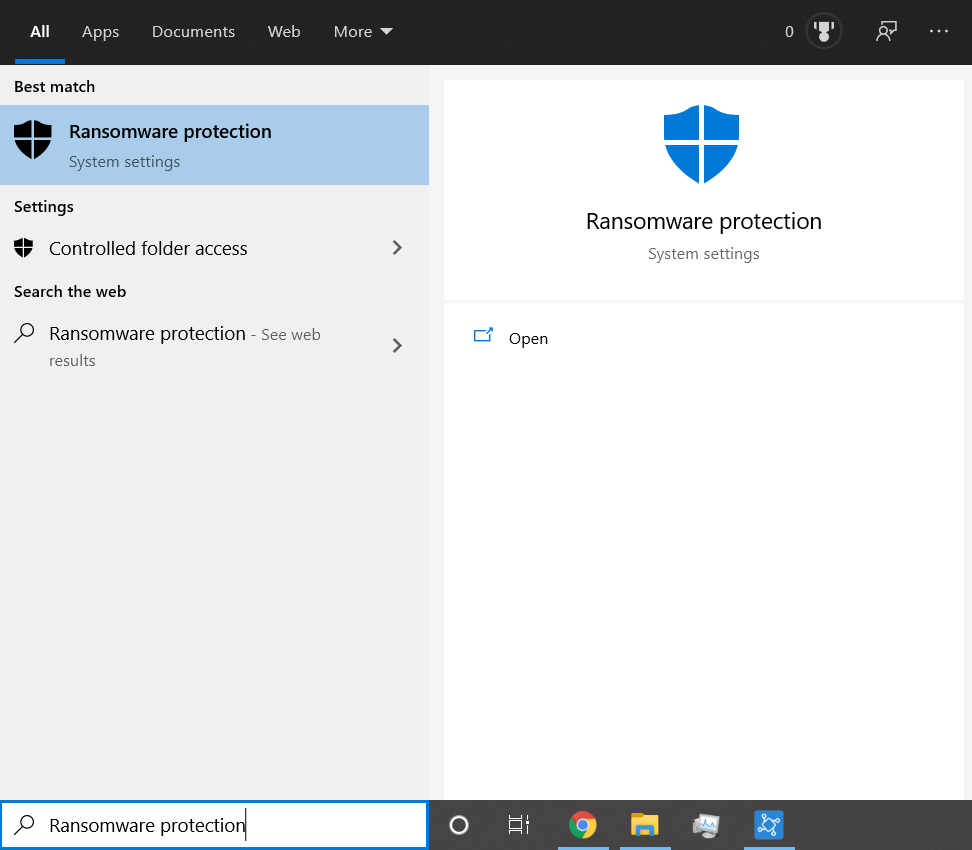
Reallusion may be blocked by the built-in Windows Security when accessing data.
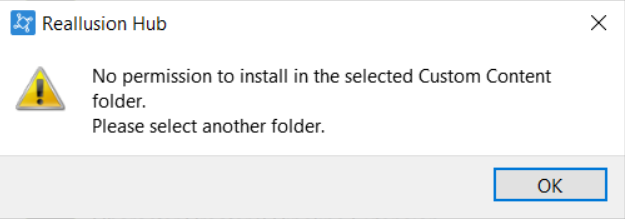
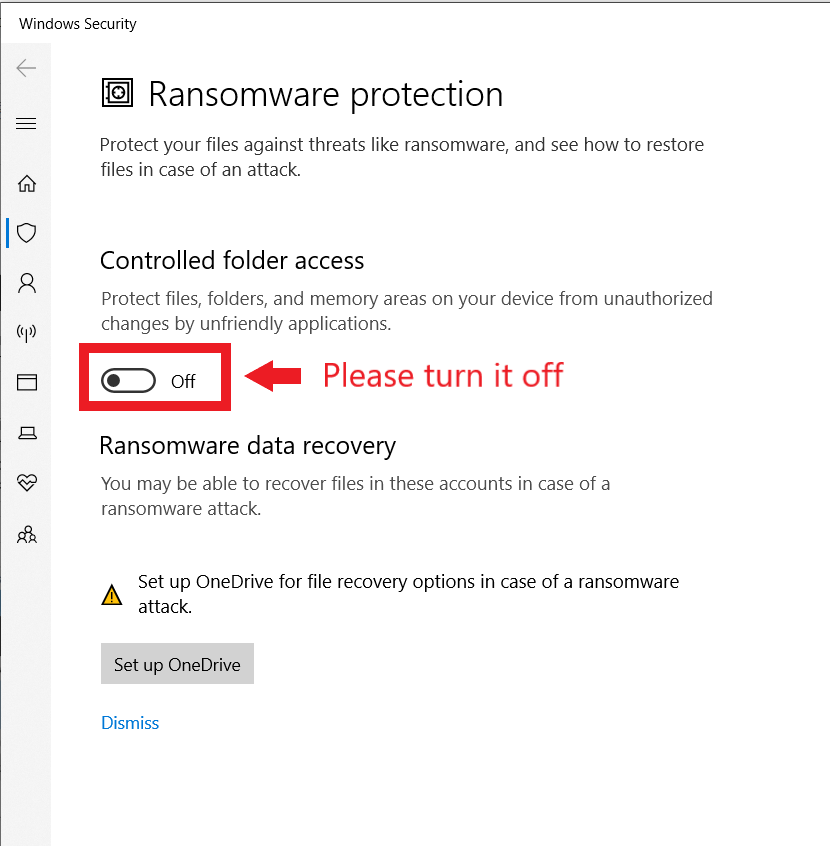
Please follow the steps below to check whether "Controlled folder access" is enabled.
- Search for "Ransomware protection" in the search box of the Windows taskbar.
- Check whether "Controlled folder access" is enabled, if so, please turn it OFF.
- Now you can reinstall the program.